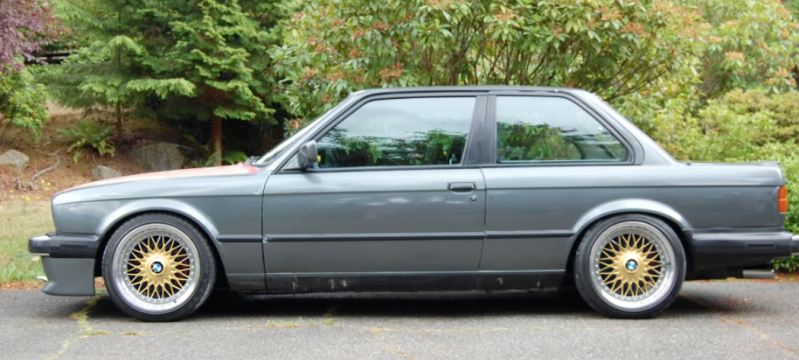
Paint my wheels.

Collapse
X
 
  • Time
  • Show
Clear All
new posts

  • speedminded
    replied
    Heyyy look who's car it is lol! Only needs to be lower with a roof rack and a bunch of random stuff on top :-p

    Leave a comment:


  • speedminded
    replied
    I'd rock it!

    Leave a comment:


  • speedminded
    replied
    Originally posted by 87e30
    Look at this, then go look at the original. The answer should be clear.
    lol! It's hope for those people with Bronzit cars! Didn't say it looks better than any other color :-p

    Leave a comment:


  • 87e30
    replied
    Originally posted by speedminded
    Who says Bronzit can't look good? Did a high pass filter over it too sharpen it up some...

    Look at this, then go look at the original. The answer should be clear.

    Leave a comment:


  • speedminded
    replied
    Who says Bronzit can't look good? Did a high pass filter over it to sharpen it up some...

    Last edited by speedminded; 11-23-2009, 11:03 PM.

    Leave a comment:


  • daniel
    replied
    Originally posted by 87e30
    :rofl:
    there you go, alex.

    Leave a comment:


  • 87e30
    replied
    I think they are best as is. Or repainted a slightly darker silver. I'm not a fan of paint matched, and you don't want to do any crazy colors. I think white and black would both look fairly bad. Therefore I see silver in your future.

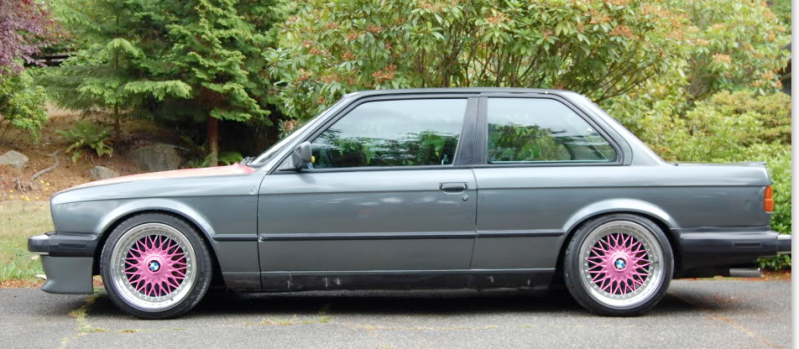
    I like this for some reason.
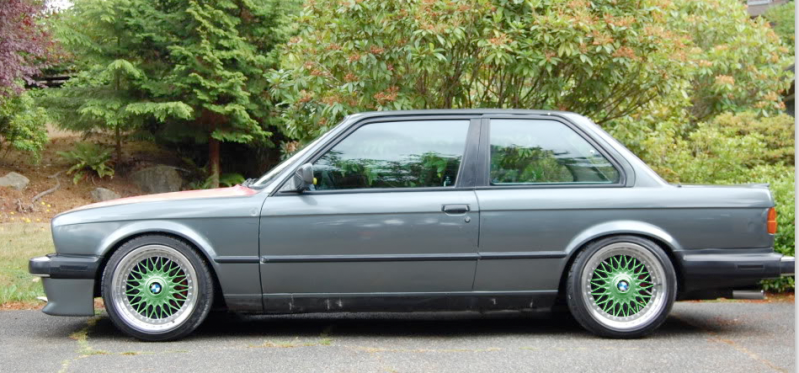

    This isn't bad:
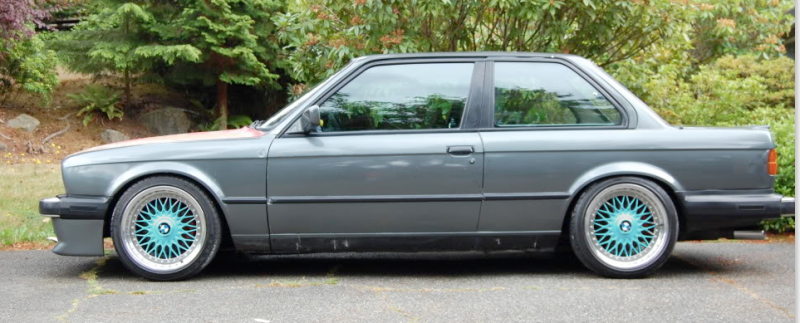

    :rofl:
    Leave a comment:


  • speedminded
    replied
    How about paint matched?

    Leave a comment:


  • 87e30
    replied


    Pure magic dude. Nice! Yours does look better, it looks like you spent a little bit more time with curves to bring out some contrast in the gold. But thats pretty crazy.
    Last edited by 87e30; 11-23-2009, 10:24 PM.

    Leave a comment:


  • 87e30
    replied
    Holy crap those are perfect gold!

    Leave a comment:


  • speedminded
    replied
    I'll hotlink the .psd for ya 87e30 so you don't have to do it over. I selected the wheel center and subtracted the background using color selecter set at 200. Worked perfect.


    *edit*
    I sharpened the rear wheel to match the front since it was slightly out of focus.


    Last edited by speedminded; 11-23-2009, 10:17 PM.

    Leave a comment:


  • speedminded
    replied
    Originally posted by 87e30
    Well I was just about to try this then my CS4 crashed and I hadn't saved the file with the selection done so I'll pass as I'm pretty sure Alex wouldn't want gold wheels anyways.

    For selecting the wheels I just used the circle selector for the insides, made a new layer, set the magic wand to like 75 and grabbed all of the bright area, selected inverse, and deleted the darks. Seemed to work pretty well.

    I also used color overlay on the layer to get the colors in the wheel. I find it really hard to ADD color any other way seeing as how the wheel starts out as pretty washed out and colorless. Do you use the b/w tint for everything? I'll have to try that.
    I've always used the color slider before, while adjusting the curve/levels/exposure to adjust evenly in the lighter and darker spots, but I accidentally did it on a wheel the other day thinking I had a different layer selected and it surprised me. Holy perfect gold wheels! I have not tried it with different colors yet...

    Leave a comment:


  • 87e30
    replied
    Originally posted by speedminded
    For the best looking gold wheels click the black and white feature under adjustments then click the tint box at the bottom...

    That is if you are using CS3 or 4 anyways.
    Well I was just about to try this then my CS4 crashed and I hadn't saved the file with the selection done so I'll pass as I'm pretty sure Alex wouldn't want gold wheels anyways.

    For selecting the wheels I just used the circle selector for the insides, made a new layer, set the magic wand to like 75 and grabbed all of the bright area, selected inverse, and deleted the darks. Seemed to work pretty well.

    I also used color overlay on the layer to get the colors in the wheel. I find it really hard to ADD color any other way seeing as how the wheel starts out as pretty washed out and colorless. Do you use the b/w tint for everything? I'll have to try that.

    Leave a comment:


  • speedminded
    replied
    Originally posted by 87e30
    Sorry, it was hard to get the super bright wheel down to a believable black level. The darker silver looks pretty good. I tried my hand at gold but failed, and the colors are just for fun. I know you won't like them.
    For the best looking gold wheels click the black and white feature under adjustments then click the tint box at the bottom...

    That is if you are using CS3 or 4 anyways.

    Leave a comment:


  • speedminded
    replied
    Ughh, I've photochopped Style 5's so many times. It's so miserable deselecting all the triangles!! lol!

    Leave a comment:

Working...