13 button obc diassembly?

Collapse
X
 
  • Time
  • Show
Clear All
new posts
  • downforce22
    No R3VLimiter
    • Aug 2009
    • 3191

    #1

    13 button obc diassembly?

    My '86 325ix (grey market) came with one of the sweet german 13 button obc but the PO stuck what looks like a screwdriver into the side breaking off one of the capacitors or something inside.

    I have a working 13 button with faded letters. Is there anyway I can disassemble it and transfer the buttons to the working american 13 button?

    Thanks
    318iS Track Rat :nice: www.drive4corners.com
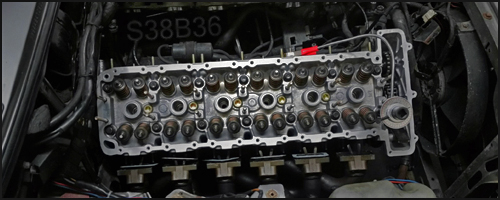
    '86 325iX 3.1 Stroker Turbo '86 S38B36 325

    No one makes this car anymore. The government won't allow them, normal people won't buy them. So it's up to us: the freaks, the weirdos, the informed. To buy them, to appreciate them, and most importantly, to drive them.
  • e30m3s54turbo
    No R3VLimiter
    • Jun 2010
    • 3211

    #2
    Yes you can. I did that to mine. Take your time pulling it apart on the one that does not work.
    Projects Hartge,Alpina & AC Schnitzer Builds.http://www.r3vlimited.com/board/showthread.php?t=280601
    http://www.r3vlimited.com/board/showthread.php?t=227993
    http://www.r3vlimited.com/board/showthread.php?t=289362

    DSC04926 by Raul Salinas, on FlickrDSC03413 by Raul Salinas, on Flickr

    Comment

    • downforce22
      No R3VLimiter
      • Aug 2009
      • 3191

      #3
      Can you elaborate? I can't get the front section apart from the rear section. I got the bottom apart but not the top. Also, it looks as if the buttons are wired directly to the pcb board, how do they interchange?
      Last edited by downforce22; 08-25-2013, 03:25 PM.
      318iS Track Rat :nice: www.drive4corners.com
      '86 325iX 3.1 Stroker Turbo '86 S38B36 325

      No one makes this car anymore. The government won't allow them, normal people won't buy them. So it's up to us: the freaks, the weirdos, the informed. To buy them, to appreciate them, and most importantly, to drive them.

      Comment

      • JinormusJ
        R3V OG
        • Dec 2011
        • 6887

        #4
        13 button obc diassembly?

        I do this all the time to "rebuild" my OBCs

        There are 2 screws on the back; take those out
        The OBC Coding Plug is also inserted in the back; you must remove that as well
        After that, it will take some force to pry off the back casing from the front face; take your time and gently pry them apart.
        After that is off, the "brains" should be exposed.

        Early model OBCs had a ribbon cable with 5 pegs that connected it to the OBC. Late model OBCs just have these pegs directly connected to the board (these are a common point of failure; I highly recommend re-flowing these pegs with some fresh solder if you've gotten this far). Remove either the ribbon strip, or if you have a late model OBC, just gently pry the brain from the front face. Once the ribbon strip is free, you can gently pry the face from the OBC

        If transferring to a face that requires the ribbon strip, the bar readout is attach by a series of 7 screws, and can easily be removed and transferred to a fresh front face. Assembly is the reverse of disassembly

        More than half of this stuff does not make sense, but once you start doing it, you will see what I mean. It is fairly straight forward. I figured it out when I was 18, and I have been rebuilding OBCs for my cars since and haven't broken a single one as long as I was careful and gentle

        Comment

        • downforce22
          No R3VLimiter
          • Aug 2009
          • 3191

          #5
          got it figured out. This thing is intricate! I did kind of snap one of the screw mounting points on the rear but that doesn't really matter if I can take the second one apart the same way. See photos
          Attached Files
          318iS Track Rat :nice: www.drive4corners.com
          '86 325iX 3.1 Stroker Turbo '86 S38B36 325

          No one makes this car anymore. The government won't allow them, normal people won't buy them. So it's up to us: the freaks, the weirdos, the informed. To buy them, to appreciate them, and most importantly, to drive them.

          Comment

          • downforce22
            No R3VLimiter
            • Aug 2009
            • 3191

            #6
            Originally posted by JinormusJ
            I do this all the time to "rebuild" my OBCs

            There are 2 screws on the back; take those out
            The OBC Coding Plug is also inserted in the back; you must remove that as well
            After that, it will take some force to pry off the back casing from the front face; take your time and gently pry them apart.
            After that is off, the "brains" should be exposed.

            Early model OBCs had a ribbon cable with 5 pegs that connected it to the OBC. Late model OBCs just have these pegs directly connected to the board (these are a common point of failure; I highly recommend re-flowing these pegs with some fresh solder if you've gotten this far). Remove either the ribbon strip, or if you have a late model OBC, just gently pry the brain from the front face. Once the ribbon strip is free, you can gently pry the face from the OBC

            If transferring to a face that requires the ribbon strip, the bar readout is attach by a series of 7 screws, and can easily be removed and transferred to a fresh front face. Assembly is the reverse of disassembly

            More than half of this stuff does not make sense, but once you start doing it, you will see what I mean. It is fairly straight forward. I figured it out when I was 18, and I have been rebuilding OBCs for my cars since and haven't broken a single one as long as I was careful and gentle

            Thanks for the tip! I figured it out before I saw this but it is very helpful!

            My question is about the above bolded section. I did not take the second one apart, but if it is the soldered ribbon strip would I need to remove all five prongs from the original obc and then solder them to the 'new' obc? obviously if it is the same I can just use the existing ribbon in the 'new' obc.
            318iS Track Rat :nice: www.drive4corners.com
            '86 325iX 3.1 Stroker Turbo '86 S38B36 325

            No one makes this car anymore. The government won't allow them, normal people won't buy them. So it's up to us: the freaks, the weirdos, the informed. To buy them, to appreciate them, and most importantly, to drive them.

            Comment

            • JinormusJ
              R3V OG
              • Dec 2011
              • 6887

              #7
              You've already removed the readout on your OBC. You can just attach the white box with the ribbon cable (OBC Readout) to the new OBC face if need be; the 7 mounting points with the silver screws are the same

              Comment

              • downforce22
                No R3VLimiter
                • Aug 2009
                • 3191

                #8
                The 13 button I replaced was from 10/85 and the one I sourced parts from was 12/85 so everything was exactly the same. I used the coding plug from the 12/85 since that was what was in it when it was working and the button section is the only thing I replaced.

                Pretty easy. Best way I found to get the case off is to start at the bottom. Squeeze the button section together and push down in the very center on the 'brain' section to remove the two clips. Then try to pry apart. After working it loose do the same on the top side of the obc; squeeze the button section together and push in the center on the top to let go.

                A small screw driver in the slit helps too. Slide it into the slit between the two halves and pry down so the screw driver is pointing toward the front of the obc and it shloud pop in half. Then be carefull pulling the button section form the brain section and don't bend the prongs.
                318iS Track Rat :nice: www.drive4corners.com
                '86 325iX 3.1 Stroker Turbo '86 S38B36 325

                No one makes this car anymore. The government won't allow them, normal people won't buy them. So it's up to us: the freaks, the weirdos, the informed. To buy them, to appreciate them, and most importantly, to drive them.

                Comment

                • downforce22
                  No R3VLimiter
                  • Aug 2009
                  • 3191

                  #9
                  I put it back together and it works. Only problem is a few pixels are not visible and my bulb seems to be burnt out.

                  Is the LED screen just not screwed on tight enough or why are there dead pixels?
                  318iS Track Rat :nice: www.drive4corners.com
                  '86 325iX 3.1 Stroker Turbo '86 S38B36 325

                  No one makes this car anymore. The government won't allow them, normal people won't buy them. So it's up to us: the freaks, the weirdos, the informed. To buy them, to appreciate them, and most importantly, to drive them.

                  Comment

                  • JinormusJ
                    R3V OG
                    • Dec 2011
                    • 6887

                    #10
                    I had the same problem; my screws were not screwed on tight enough; was a pain to take apart again, but tightening the screws made my dead pixels go away

                    Comment

                    • LateFan
                      R3V Elite
                      • May 2013
                      • 4399

                      #11
                      So is this a pixel problem or a completely separated screen? Seems to work fine, you just can't see the numbers.

                      Click image for larger version

Name:	DSC08313.jpg
Views:	1
Size:	103.9 KB
ID:	7159947

                      Comment

                      • downforce22
                        No R3VLimiter
                        • Aug 2009
                        • 3191

                        #12
                        I think that is a screen problem. When I took it apart there is glass piece like a microscope slide on the front followed by an orange tinted sheet and then a white plastic strip. I bet the glass is separating from the orange sheet.
                        318iS Track Rat :nice: www.drive4corners.com
                        '86 325iX 3.1 Stroker Turbo '86 S38B36 325

                        No one makes this car anymore. The government won't allow them, normal people won't buy them. So it's up to us: the freaks, the weirdos, the informed. To buy them, to appreciate them, and most importantly, to drive them.

                        Comment

                        • JinormusJ
                          R3V OG
                          • Dec 2011
                          • 6887

                          #13
                          That's exactly what it is. If it is a dead pixel, such as a bar not showing up, the screen is not fully pressed onto the laminate, and you simply need to tighten the screws to fix

                          If the screen is completely being taken over like that, it is busted for good

                          Comment

                          • LateFan
                            R3V Elite
                            • May 2013
                            • 4399

                            #14
                            Thanks, I'll try that!

                            Comment

                            • downforce22
                              No R3VLimiter
                              • Aug 2009
                              • 3191

                              #15
                              Do you know what the dial on the back does JinormusJ?
                              318iS Track Rat :nice: www.drive4corners.com
                              '86 325iX 3.1 Stroker Turbo '86 S38B36 325

                              No one makes this car anymore. The government won't allow them, normal people won't buy them. So it's up to us: the freaks, the weirdos, the informed. To buy them, to appreciate them, and most importantly, to drive them.

                              Comment

                              Working...