
Color codes are of the Pantone, almost the industry standard swatch book.
-
-
tee hee.Comment
-
I could attempt to re-create it in Adobe Illustrator if need be. What is it going on? A screen based graphic or a print application? I've got a degree in graphic design and this seems to be a pretty straightforward design
Tim
1991 318isComment
-
-
here is my attempt. took alot more effort than i thought, helvetica is not a good match for the e and c.
 90 E30 325i
Comment
-
no comments on my logo?90 E30 325iComment
-
looks like a close match. i think the red should be a shade darker tho."i'm too drunk, to taste this chicken." - colonel sandersComment
-
Comment
-
The colors aren't supposed to be even, infact the red isn't high enough. It's supposed to line up with the bottom part of the horizontal part of the 'e'. The light blue stops at the top of the horizontal part of the 'e'. I have a badge right here in front of me. So basically, just shift everything upward a bit until the colors line up with the 'e'. This is how it is on the original badge with raised letters.Last edited by reelizmpro; 06-17-2009, 12:29 PM."I'd probably take the E30 M3 in this case just because I love that little car, and how tanky that inline 6 is." - thecj
85 323i M TECH 1 S52 - ALPINEWEISS
88 M3 - LACHSSILBER
89 M3 - ALPINEWEISS II
91 M TECH CABRIO 2.7L TURBO - MACAOBLAUComment
-
Comment
-
Comment
-
Just got home from work. I'm going to take a stab at this logo for you now
Tim
1991 318isComment
-
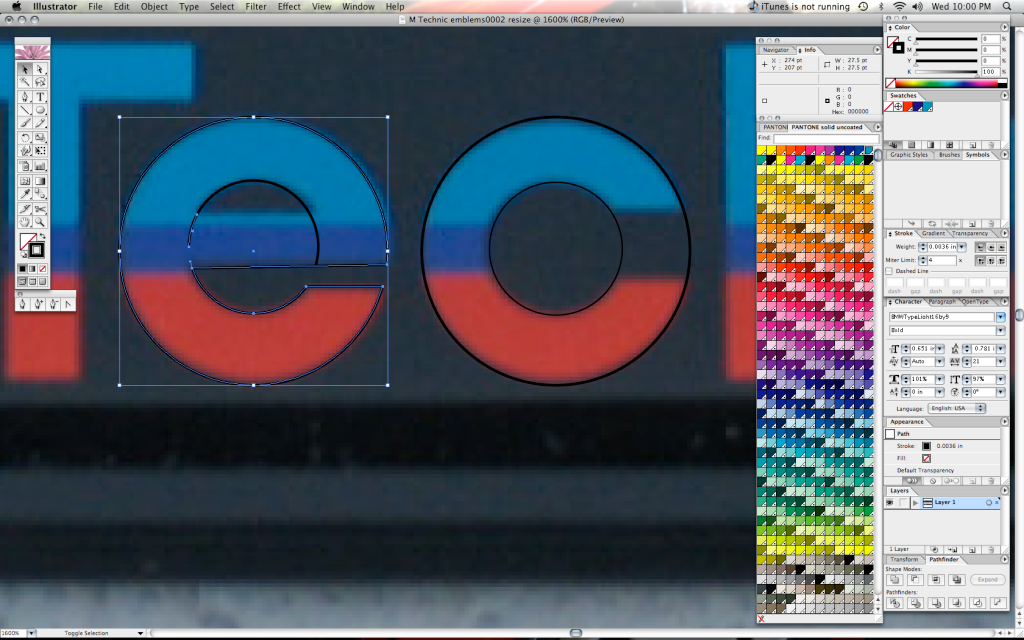
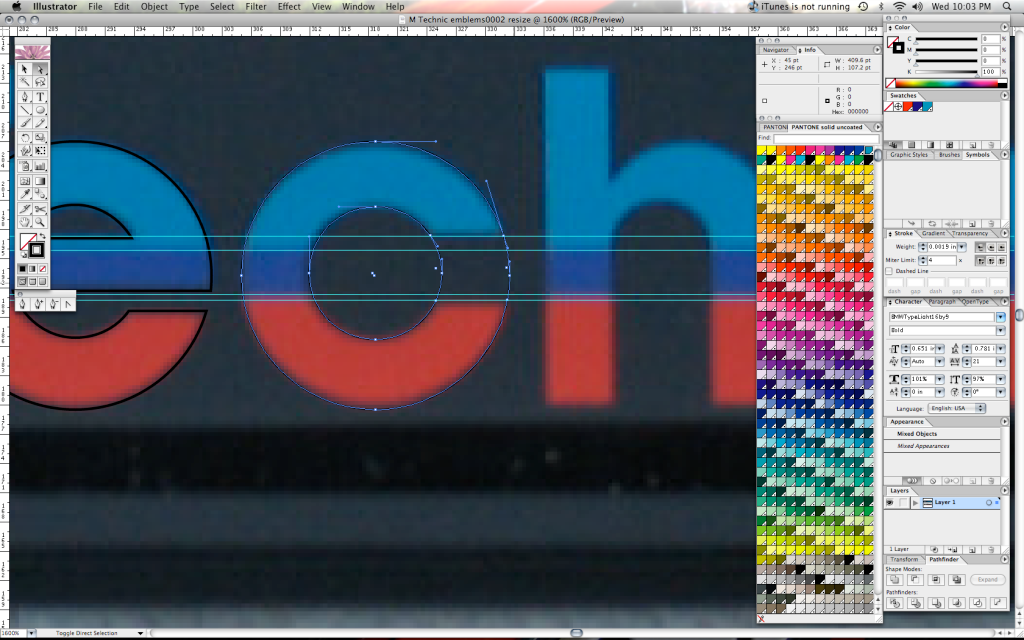
Upon closer inspection, I found that one of the reasons the re-created versions up to now don't look right because of the rounded lettering. Helvetica's lettering in the circular forms do not match up no where close. I had to recreate the "e" and "c" with actual circles, then cut some points off the circles and re-joined them to make the individual letters. The tail on the "e" doesn't actually line up with the corresponding tail of the "c" either as you'll see below. Also done with the "n" and "h". The hump on those letters is actually a bezier curve at the top and a circle cutout below. Here's what I mean.
Final Product Screen Shot
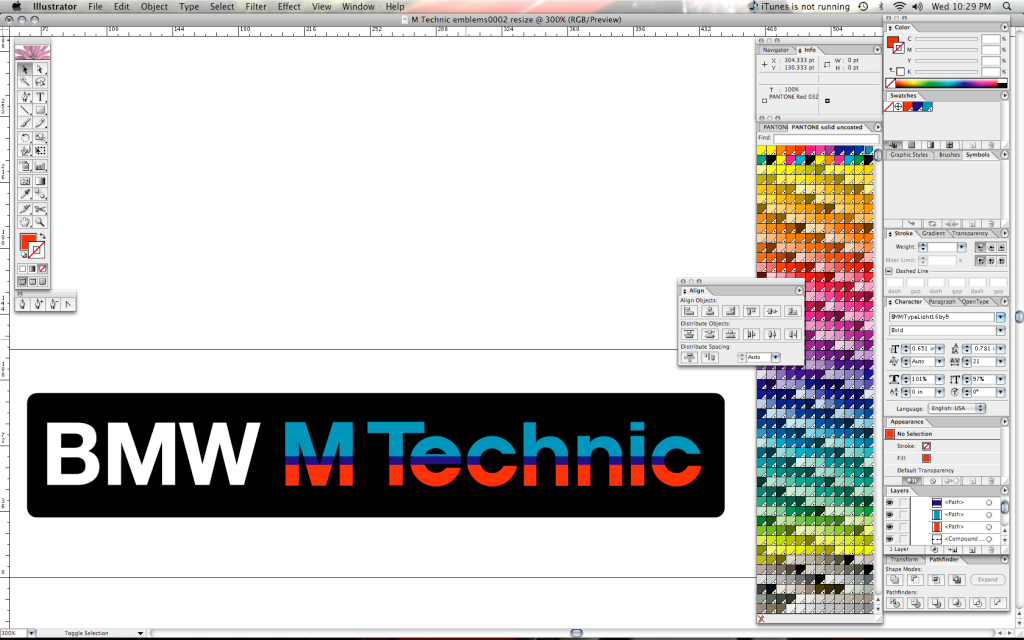
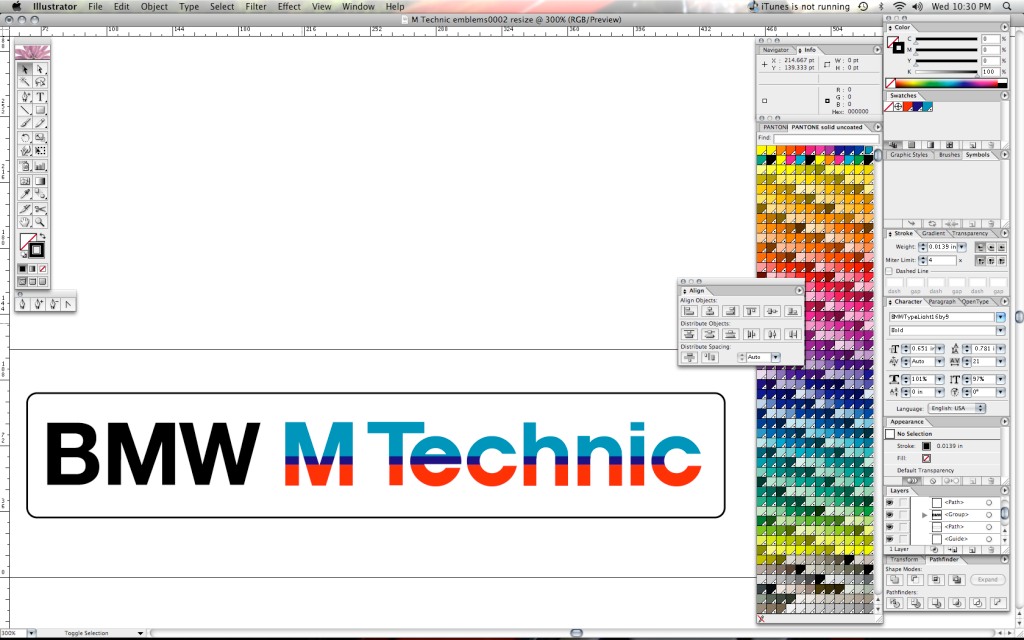
Keep in mind, this does look different on the forum post as opposed to my screen in Adobe Illustrator. The colors are slightly different going from Pantone Process coated to the RGB Scale that is present in the conversion from an EPS to a JPG suitable for internet format.
I can send people the EPS files directly. Don't copy and crop the pics I uploaded as I've touched up a little more since this post I'm sure.
That'll be $125 for logo recreation and a free T-Shirt from the OP. :D
Enjoy!
Tim
Tim
1991 318isComment
-
good work! i did the same thing tho, i recreated the e and c from circles. our logos look pretty much identical.
however, check out the first actual badge picture of this thread. the way the lines are striped is slightly different. the entire horizontal line of the e is dark blue. can you do it that way? i think it would look better.
send the .eps to philipb9 yahoo.ca, please! thanks90 E30 325iComment

Comment